Resetting a Kafka Streams Application
Resetting a Kafka Streams based application lets it re-process all input data from a clean state. The reset deletes the application’s internal topics, resets the source topic offsets to Earliest and the intermediate topic offsets to Latest. This guide shows you how to check the requirements, run the reset from Self-Service, and restart the application.
Type |
How-to guide |
Goal |
Reset a Kafka Streams based application so it re-processes all input data from a clean state. |
Audience |
Application owner, a user who can manage the application in Self-Service. |
When to use |
Use this guide during development to validate a topology without recreating input data, or whenever the application must start from a clean state. |
| This procedure also applies to Managed KSML applications. Resetting a Managed KSML application also clears the persistent volume claim (PVC) attached to the deployment, so the application starts without any persisted state. See Managing KSML applications. |
Prerequisites
Before you reset the application, make sure the following conditions are met:
-
You are an application owner. Only application owners can reset their applications.
-
The application is of type KSML, Self-Managed KSML or Kafka Streams.
-
The application has authentication configured.
Reset the application
To reset the application, navigate to the Applications page and select the application you want to manage. If the application has topic consume access, you can view the consumer lag number in records.
-
Stop the Kafka Streams based application.
If the application is still consuming from the topic, the reset fails, because offsets cannot be modified for an active consumer group. -
Click the Reset button on the application card.
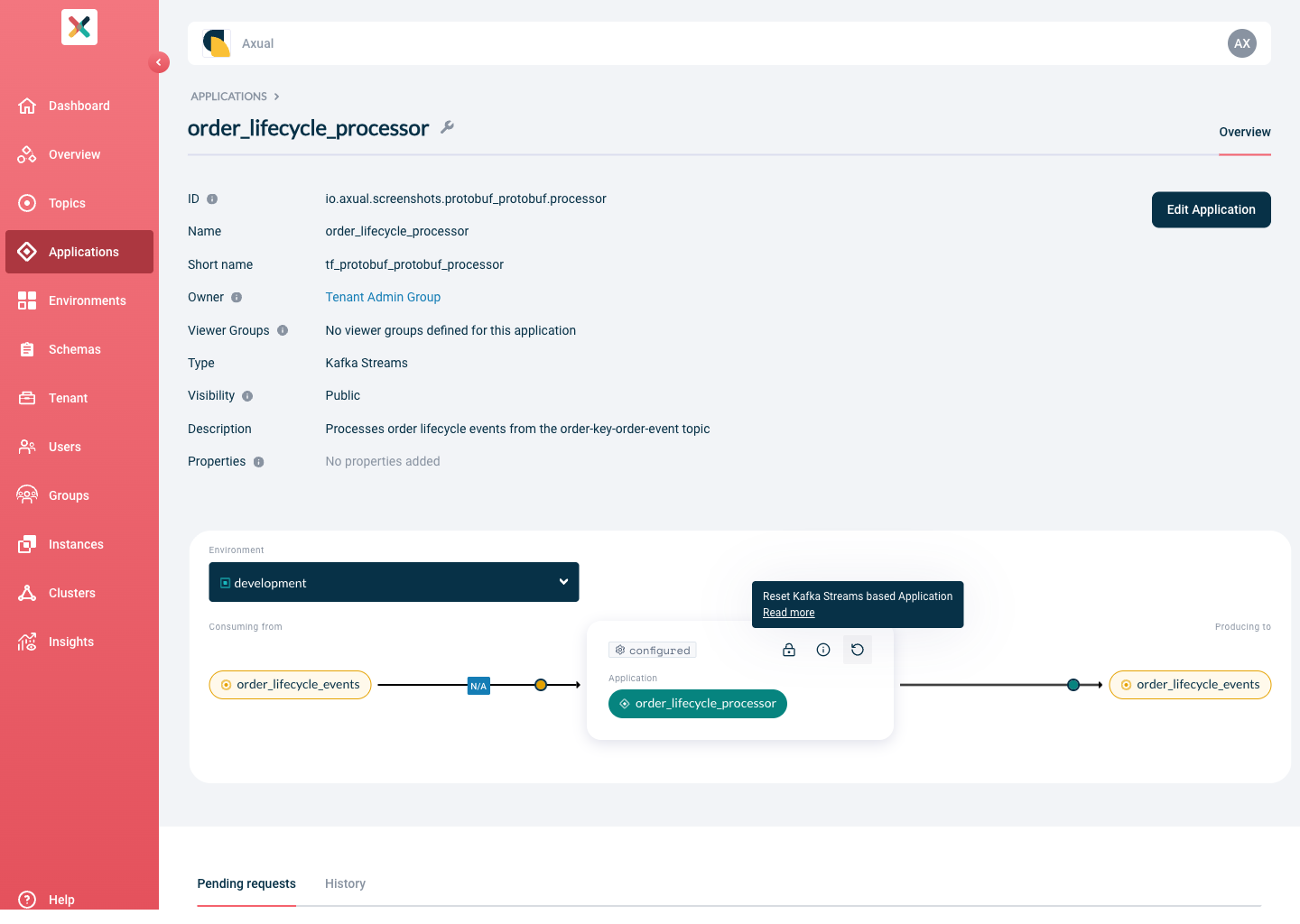
-
Review the modal that opens, which explains what the operation entails.
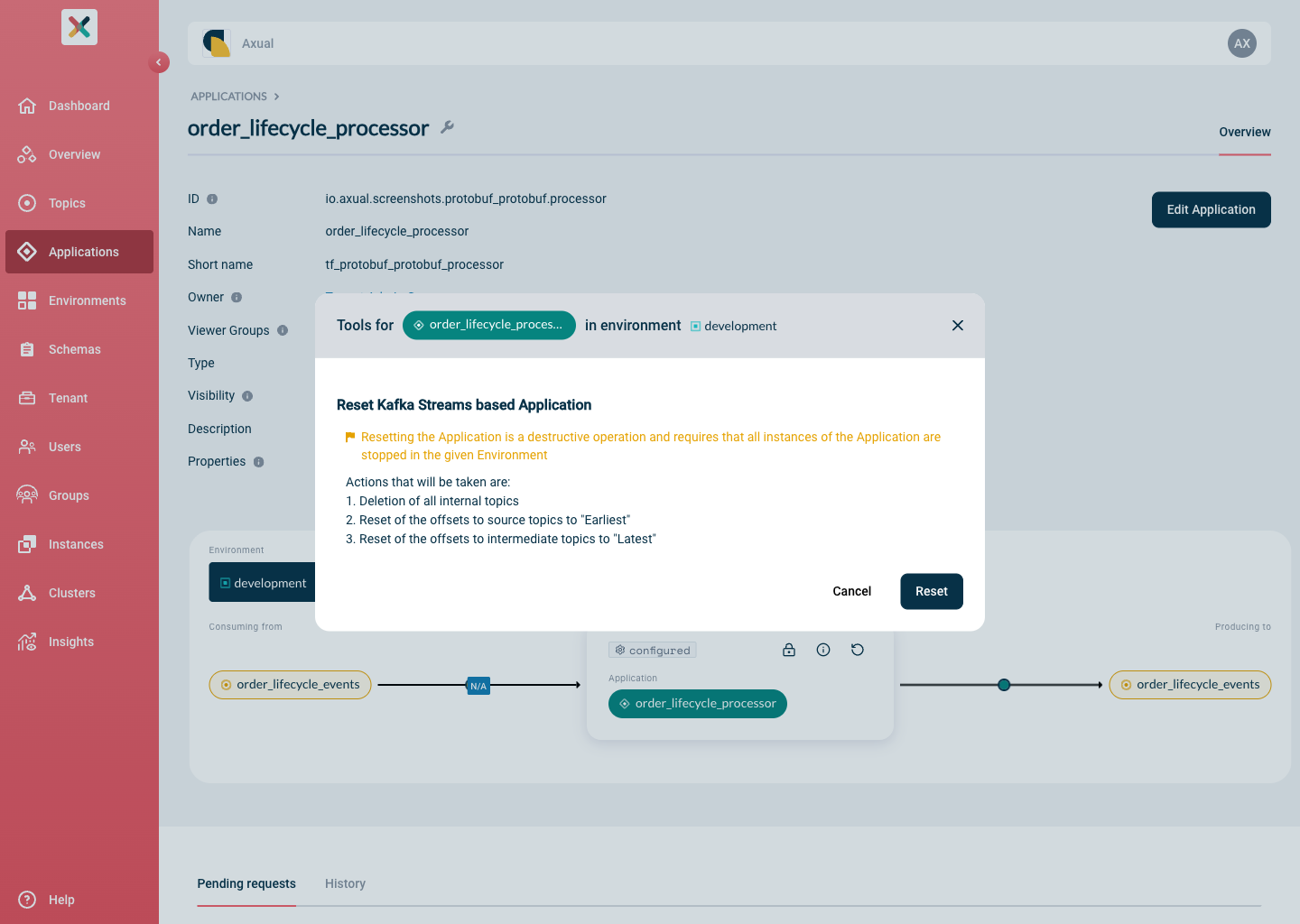
-
Click Reset to run the operation.
Restart the application
After the reset, start your application to begin data consumption from a clean state and confirm processing resumes.
| The reset operation takes place across all instance clusters. |
Start your application. Processing includes all the data present on the source topics, and all previous state is lost.