Requesting Topic Access
This guide shows you how to request consumer or producer access to a topic for your application from the Self-Service portal.
Type |
How-to guide |
Goal |
Submit a Topic Access Request so your application can consume from, or produce to, a topic. |
Audience |
An application owner, a user who can edit the application in Self-Service. |
When to use |
Use this guide when your application needs to consume from, or produce to, a topic it does not yet have access to. |
Prerequisites
Complete the following before you request topic access.
Access and permissions:
-
You are an owner of the application you are requesting access for.
-
You have configured the Application Principal or the Application Credentials for the environment in which you request access. See configure authentication.
Resources that must exist first:
-
The topic you want to request access to already exists in the environment.
Request access to a topic
Follow the steps below to submit a Topic Access Request from the application detail page.
-
Visit the detail page of your application.
-
Scroll to the bottom of the page where the + Add request button is visible.
-
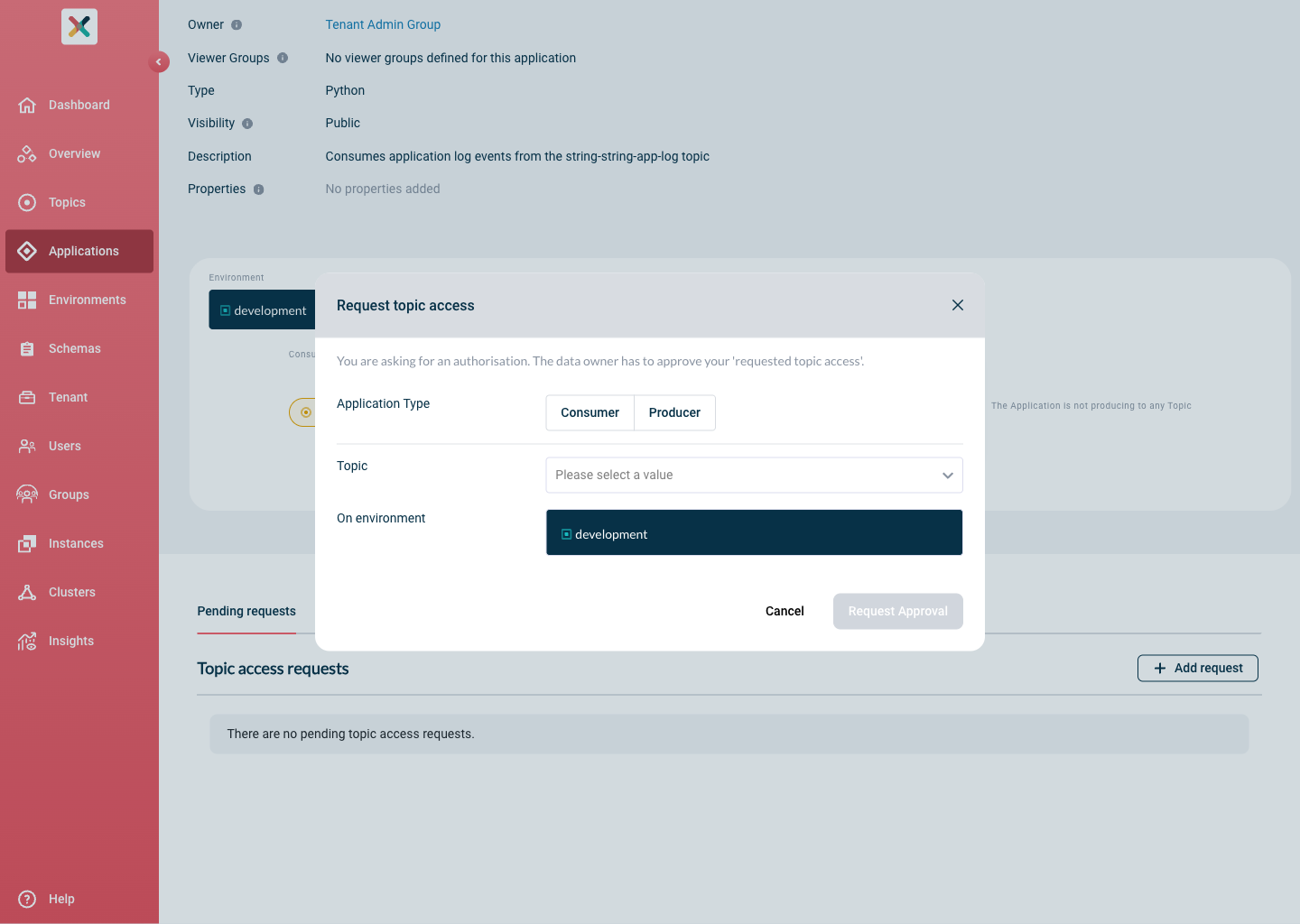
Click the button to open the Request approval modal:
-
Select the application type by clicking the Consumer or Producer button.
-
Select the topic from the Topic dropdown. If there are already pending or approved requests for this topic, a list of them appears after selection.
-
Click Request approval to submit the request.
The data owner of the topic receives your request and has to approve it.
| A request for a private environment, used for testing, does not need approval. A request for any other (public) environment needs approval from the data owner of the topic. |
Related pages
-
Authorizing topic access, the data owner’s side of this request: approving or denying it.