Resetting Consumer Offset
Resetting the consumer offset controls the starting point for message consumption for a consumer group within a topic. This guide shows you how to check the requirements, reset the offset to Latest, Earliest or Timestamp, and resume consumption.
Type |
How-to guide |
Goal |
Reset a consumer application’s offset so it resumes reading from the position you choose. |
Audience |
Application owner, a user who can manage the application in Self-Service. |
When to use |
Use this guide when you need to reprocess existing data or skip to the latest available messages for a consumer application. |
Prerequisites
Before you reset a consumer offset, make sure the following conditions are met:
-
You are an application owner. Only application owners can reset the consumer offset for their applications.
-
The application is not of type KSML, Self-Managed KSML or Kafka Streams. To reset those types, see Resetting a Kafka Streams Application.
-
The application has authentication configured and consume access for at least one topic.
-
The topic contains messages, which you can confirm by browsing the topic.
Reset the consumer offset
To reset the consumer offset, navigate to the Applications page and select the application you want to manage. In the application detail, you can view the consumer lag number in records.
-
Stop the consumer application currently consuming from the topic.
If the consumer is active, the reset operation fails, because offsets cannot be modified for an active consumer group. -
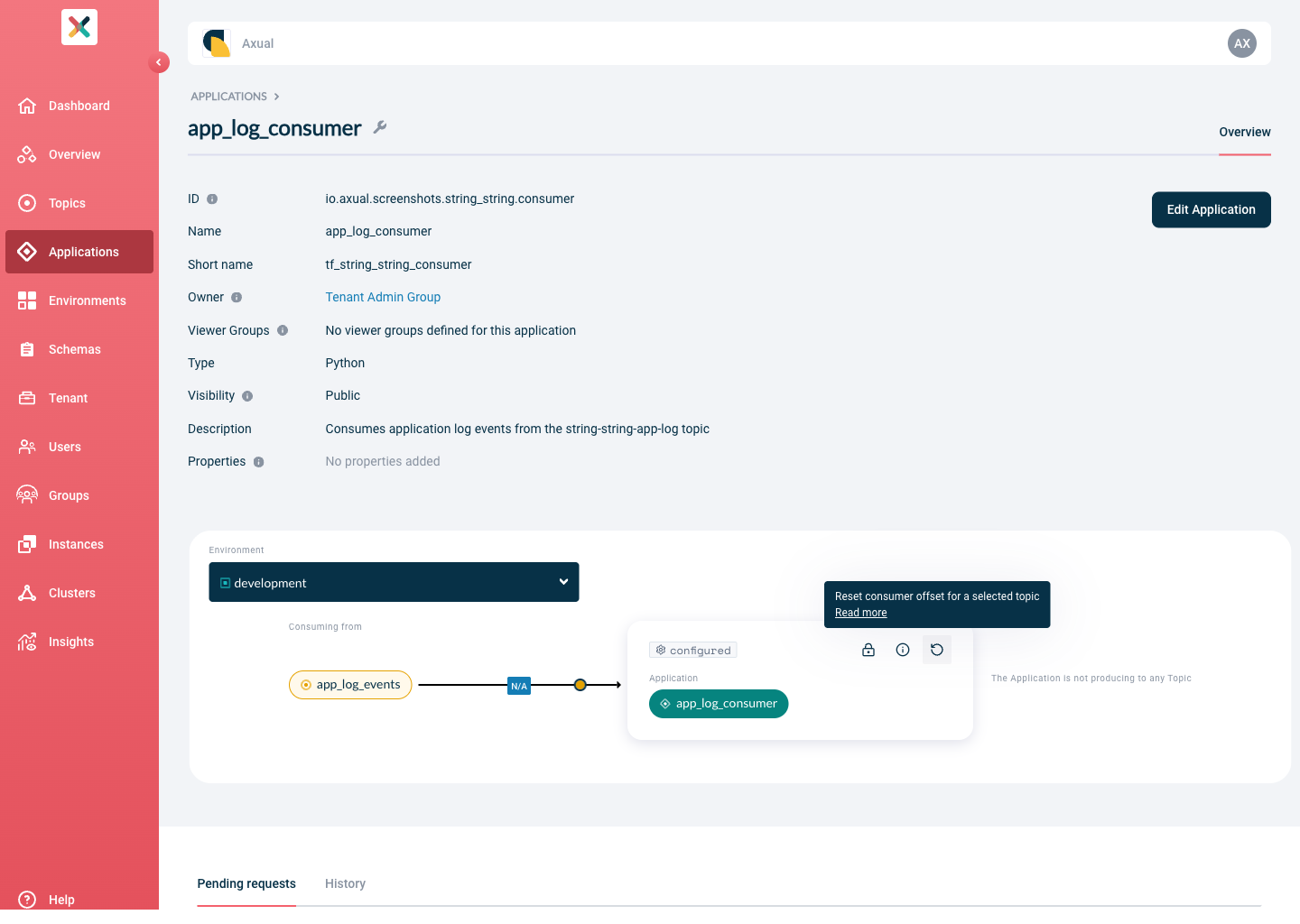
Click the Offset-Reset button on the application card.
-
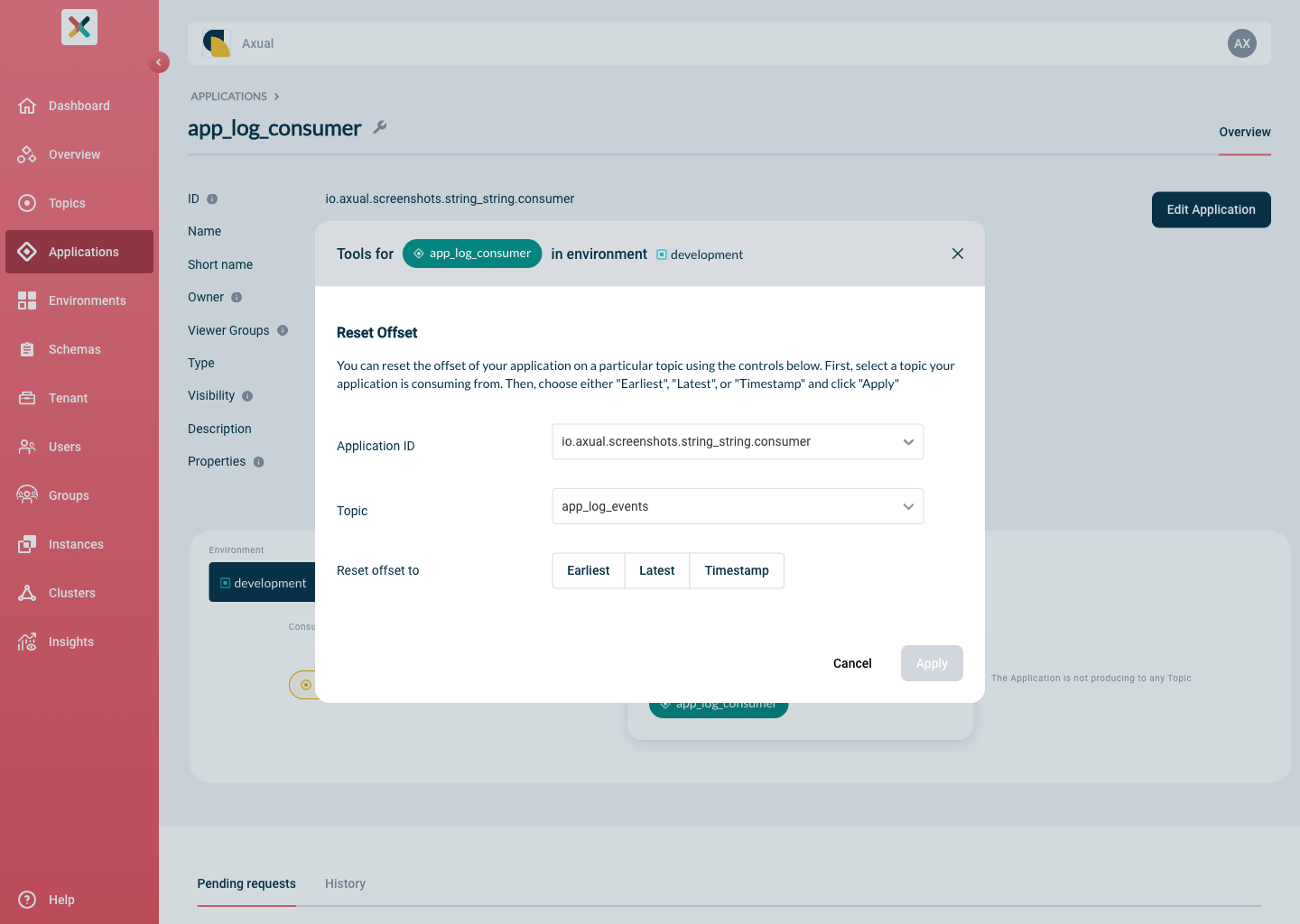
In the modal that opens, configure the offset reset.
Set the following fields:
-
Application ID: the application id your consumer uses to consume the data.
-
Topic: the topic the offset reset applies to.
-
Reset offset to: choose one of the following positions:
-
Latest: skip all messages currently available and start from the most recent position. Consumer lag drops to 0. -
Earliest: start from the beginning of the topic and reprocess all available messages. Consumer lag is set to the total message count in the topic. -
Timestamp: start from a specific point in time. A date and time picker appears to select the exact point. Consumer lag is set based on the number of messages from that point forward.
-
-
-
Click Apply to run the offset reset.
You can repeat these steps to adjust the consumer offset again if needed.
Resume and verify consumption
After the reset, start your consumer application to resume consumption and confirm it reads from the position you selected.
| The offset reset operation takes place across all instance clusters. |
Depending on the reset position, consumption resumes as follows:
-
Reset to Latest: the consumer starts from the most recent messages in the topic.
-
Reset to Earliest: the consumer reprocesses all messages from the beginning of the topic.
-
Reset to Timestamp: the consumer starts from the first message with a timestamp equal to or greater than the timestamp you set.