Registering a Self-Managed Application
This guide shows you how to register a Self Managed application, and how to register a Self Managed Kafka Streams application, through Self-Service.
Type |
How-to guide |
Goal |
Register a Self Managed or Kafka Streams application in Self-Service so it can be granted access to the Kafka cluster. |
Audience |
A member of the group that will own the application (the application Owner). |
When to use |
Use this guide when you register a new standalone or Kafka Streams application, before configuring its authentication. |
Prerequisites
Complete the following before you start.
Access and permissions:
-
Membership of the group that will own the application, so you can select it as the Owner.
Resources that must exist first:
-
An owner group for the application. If it does not exist yet, create it first: Creating a group.
Register a Self Managed application
A Self Managed application covers standalone clients such as Java, .NET, or a generic Kafka producer or consumer. Follow these steps to register one.
-
To register your application, visit the Applications page and click the New Application button.
-
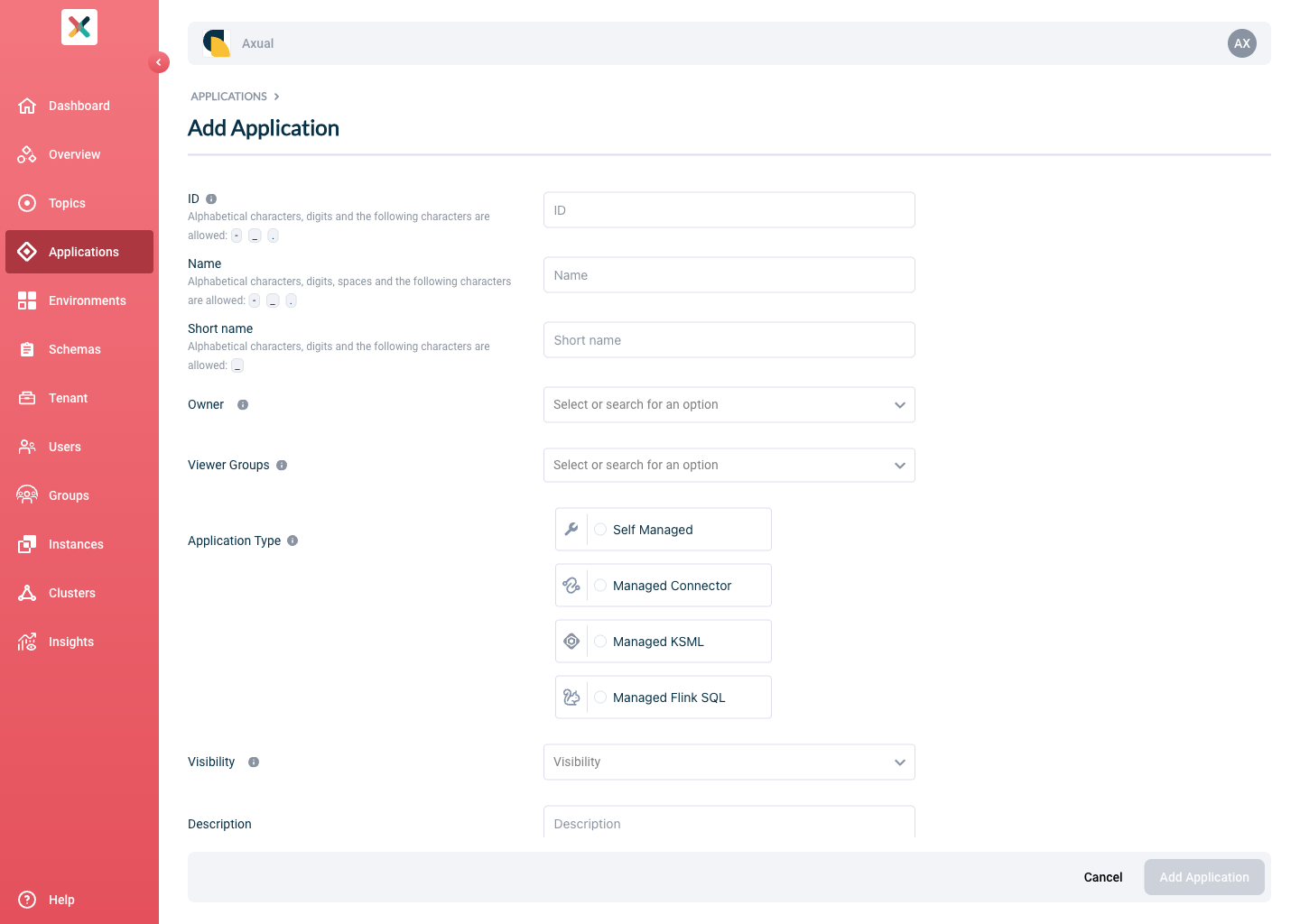
Fill out the form with the required information:
-
ID: This is a string that uniquely identifies your application. We recommend using a fully qualified package or class name, as it is unique enough within the organisation, for example
com.company.division.AlertingApp. The maximum length is 255 and the value should be alphanumeric with no spaces; the_character is allowed.The Application ID is used by consuming applications to keep track of where they left off consuming messages from a topic. Consumers sharing the same ID share the events on a topic, so one event can be read by only one consumer with the same Application ID (see the Kafka documentation on consumer groups). -
Name: The name of the application. It should not be more than 50 characters. Spaces are allowed.
-
Short Name: A unique human-readable short name of the application. This name is used as a label in Self-Service. Only alphanumeric characters and the
_character are allowed. The maximum length should not exceed 60 characters. -
Owner: Choose the group that will own this application. Choose your DevOps team’s group. Is it not available yet? See Creating a group.
-
Application Type: choose
Self Managed. -
Type: Choose the type of application. This serves as metadata.
-
Visibility: see Application visibility.
-
Description: A short summary describing the purpose of this application, for example "Enriching transaction events with transaction categories". It must not exceed 200 characters.
-
Viewer Groups: (Optional) Choose the groups that will be able to view this application configuration. See the Viewer Groups section.
-
Properties: Allows you to add additional metadata as key-value pairs to describe the application.
-
-
Press the Add Application button.
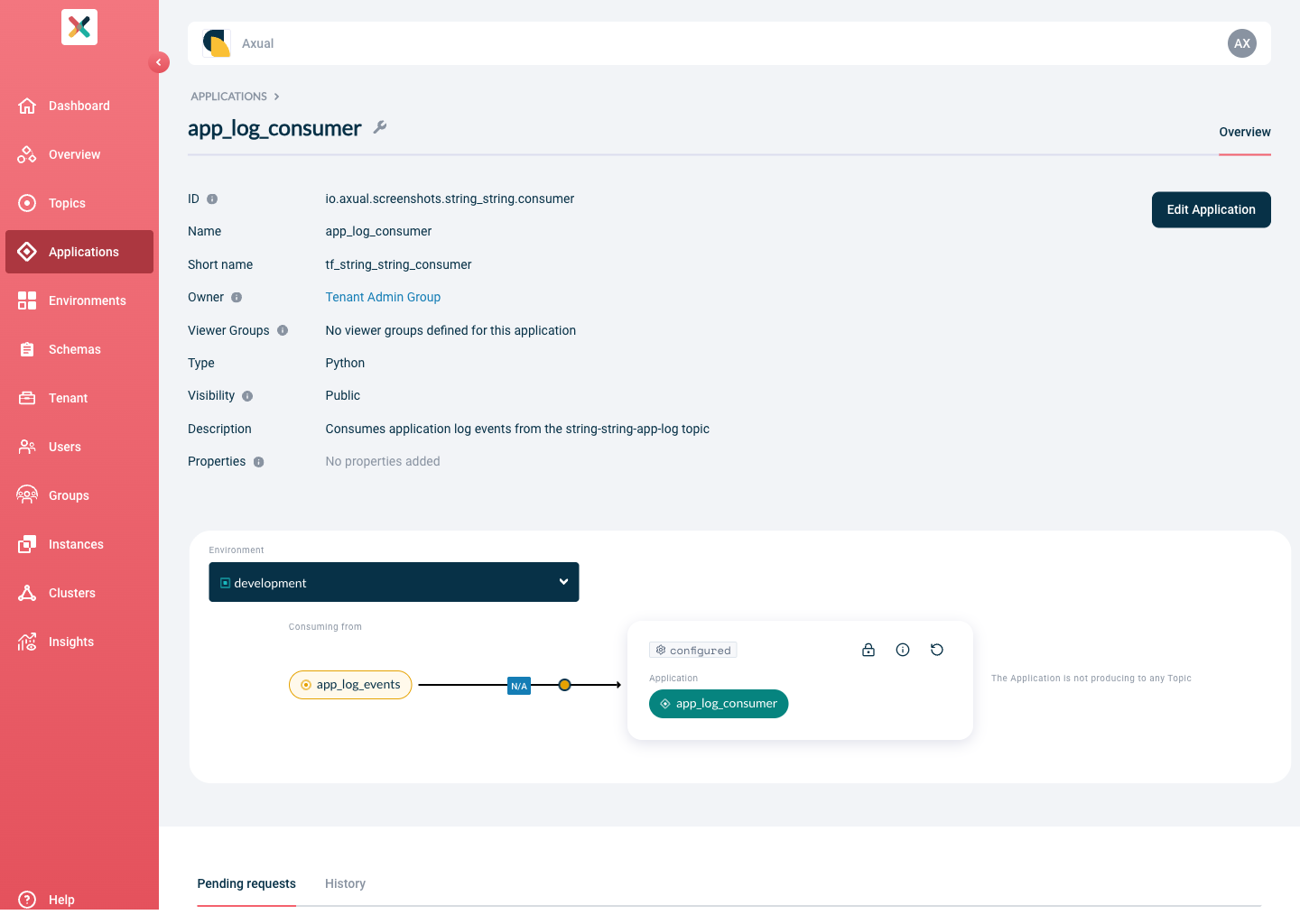
Once the application is successfully created, you are directed to the application detail page.
Register a Self Managed Kafka Streams application
A Kafka Streams application uses the same Self Managed application type, with the Type field set to Kafka Streams. Axual creates prefixed Kafka ACLs (Access Control Lists) in the background so the application can manage the internal topics it relies on for state. Follow these steps to register one.
-
To register your application, visit the Applications page and click the New Application button.
-
Fill out the form with the required information:
-
ID: This is a string that uniquely identifies your application. It corresponds to the (unresolved)
application.idfield that you provide in your Kafka Streams client application (see the Kafka Streams documentation). We recommend using a fully qualified package or class name, as it is unique enough within the organisation, for examplecom.company.division.AlertingApp. The maximum length is 255 and the value should be alphanumeric with no spaces; the_character is allowed.The application.idyou provide here must not collide with any existing Kafka Streams based application or topic deployment within the environment you deploy to. This check runs during authentication configuration. For details, see Kafka Streams prefixed ACLs. -
Name: The name of the application. It should not be more than 50 characters. Spaces are allowed.
-
Short Name: A unique human-readable short name of the application. This name is used as a label in Self-Service. Only alphanumeric characters and the
_character are allowed. The maximum length should not exceed 60 characters. -
Owner: Choose the group that will own this application. Choose your DevOps team’s group. Is it not available yet? See Creating a group.
-
Application Type: choose
Self Managed. -
Type: Choose
Kafka Streams. -
Visibility: see Application visibility.
-
Description: A short summary describing the purpose of this application, for example "Enriching transaction events with transaction categories". It must not exceed 200 characters.
-
Viewer Groups: (Optional) Choose the groups that will be able to view this application configuration. See the Viewer Groups section.
-
Properties: Allows you to add additional metadata as key-value pairs to describe the application.
-
-
Press the Add Application button.
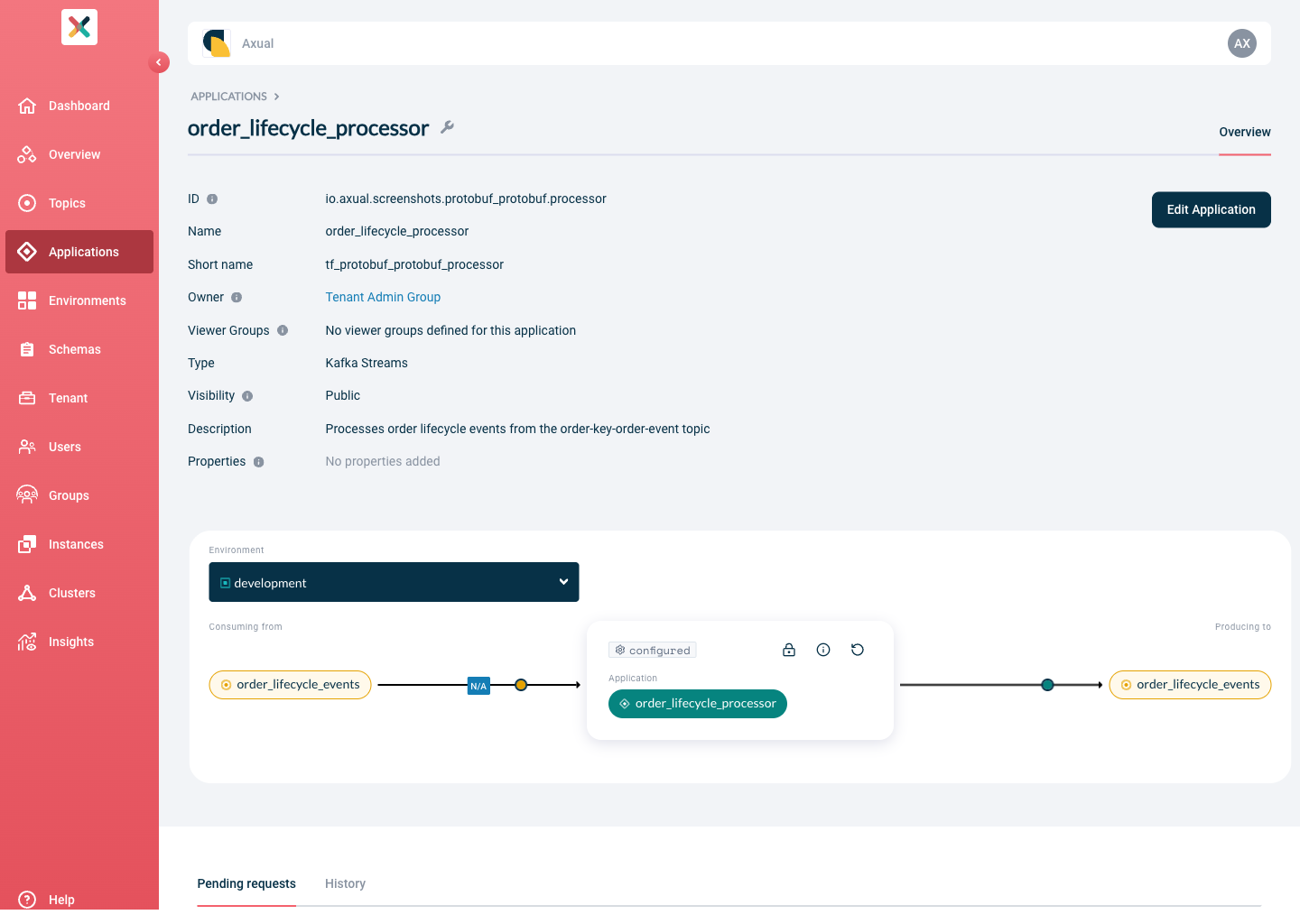
Once the application is successfully created, you are directed to the application detail page.
Related pages
-
Configuring Application Authentication, the next step: set how the application authenticates against the Kafka cluster
-
Deleting an Application, when the application is no longer needed
-
Apicurio Registry Authentication for SerDes, for Kafka Streams applications that read or write schemas