Notifications
Overview
Platform Manager sends email notifications to keep teams informed about important changes and actions in the platform. These events are sent to users through email and include:
-
Topic access request:
-
Application Health Notifications (Connector and KSML)
Configuring
Operator Configuration
Platform Manager
See Notifications Service Configuration in the Platform Manager Readme for detailed configuration options.
Tenant Admin Configuration
| This setting is only available when the Operator has enabled notifications. |
-
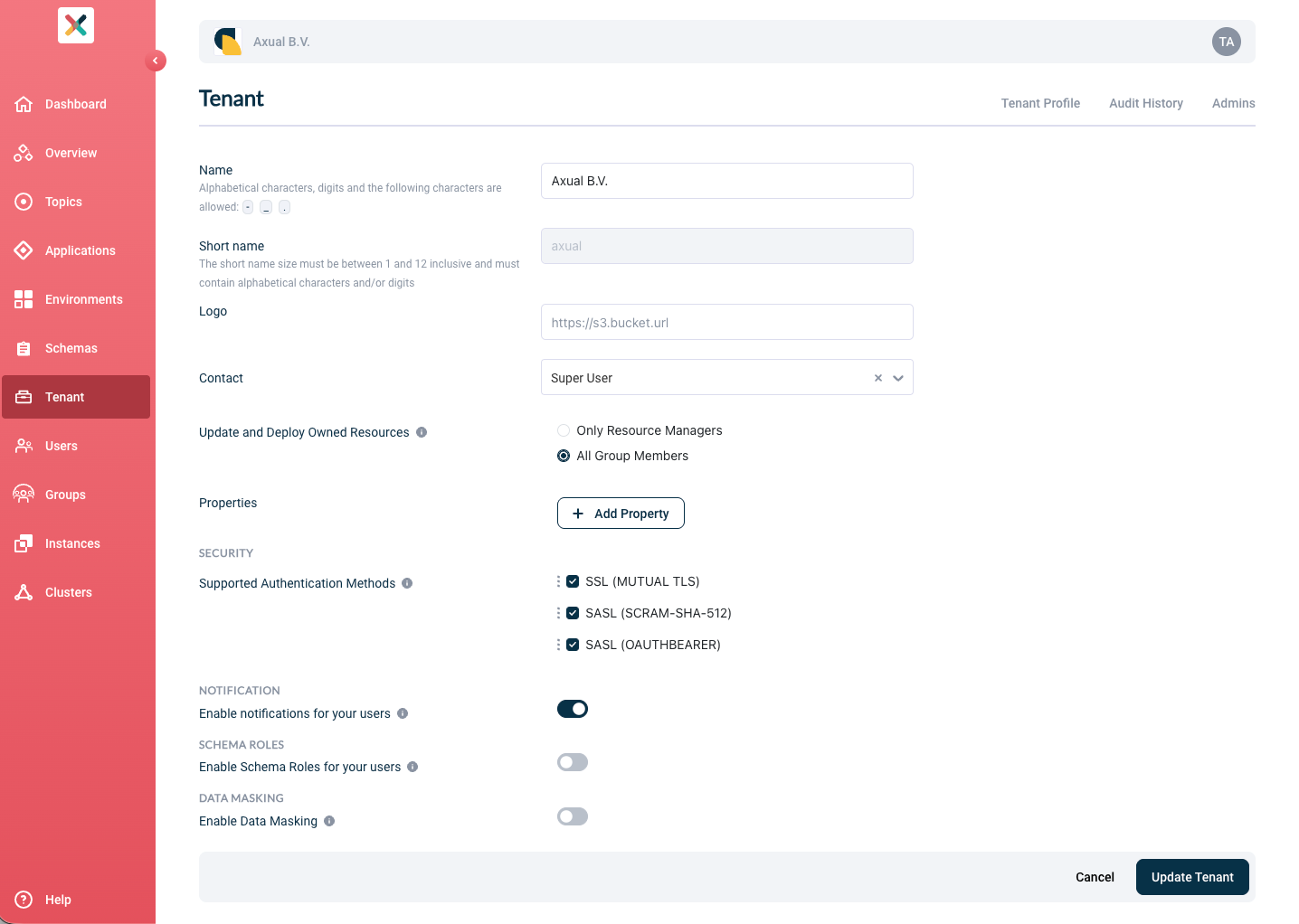
Go to the Tenant’s detail page
-
Click the Edit Tenant Profile button
-
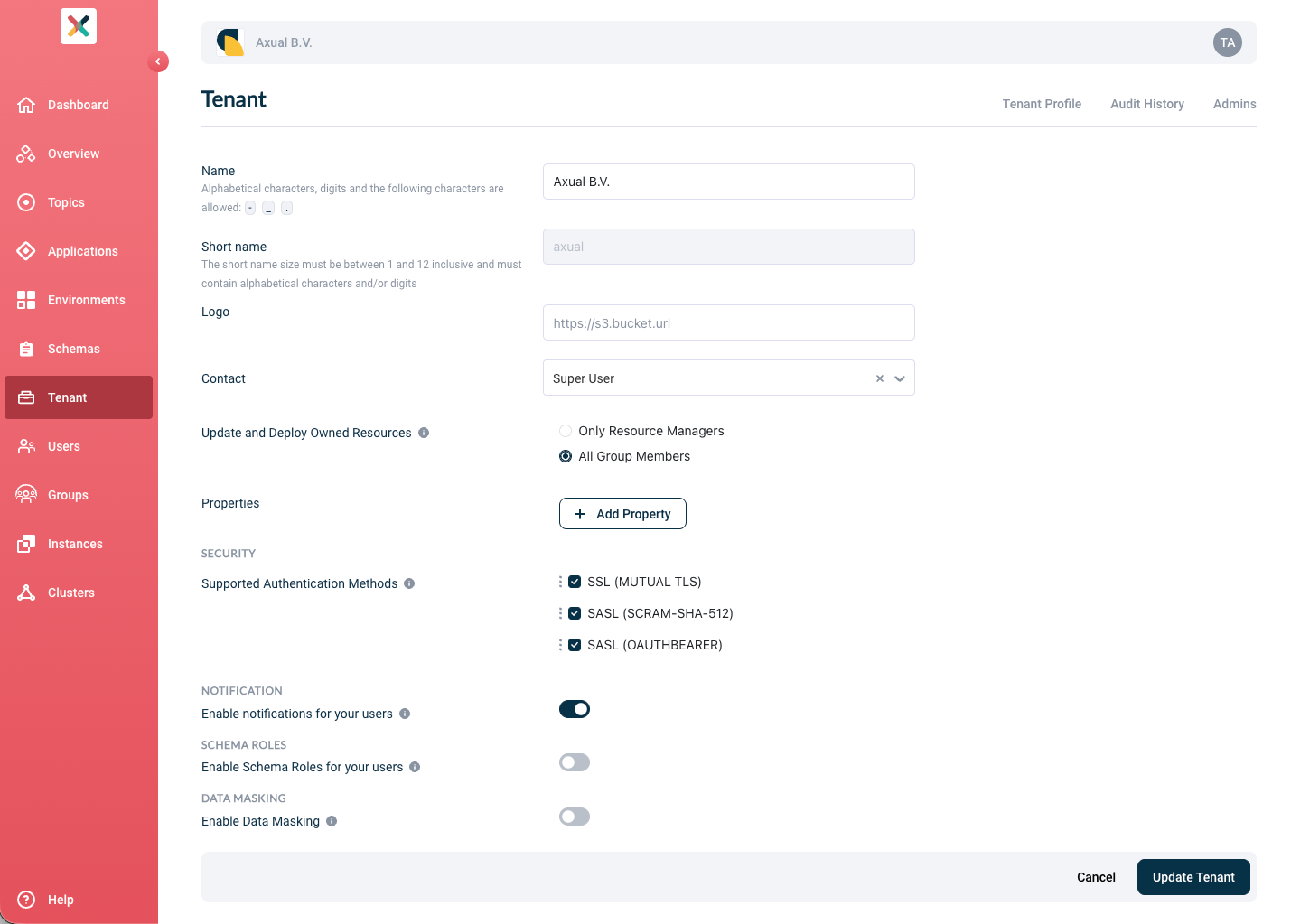
Toggle Enable notifications for your users to enable it
-
Click on the Update Tenant button
| By default, the notifications feature is disabled. |
Configuring the recipients
The owner group of the affected resource receives the notification. If no email is set on the Group, all members receive the notification email.
Notification Events
There are 9 notification events organized into 3 categories.
Access Request Notifications
When an application needs to produce to or consume from a Kafka topic owned by another team, it must request access through the grant workflow. Each stage of this workflow triggers a notification to keep both parties informed.
Grant Requested
- Trigger
-
An application requests access to a topic (produce or consume).
- Who receives it
-
The topic owner group.
- What it tells you
-
-
Which application is requesting access
-
The application’s owner group
-
Whether they want to produce to or consume from your topic
-
Which environment the request is for
-
Grant Approved
- Trigger
-
A topic owner approves an access request.
- Who receives it
-
The application owner group (the requester).
- What it tells you
-
-
Who approved your request
-
Which topic you now have access to
-
Whether you can produce or consume
-
Which environment the access applies to
-
Grant Auto-Approved
- Trigger
-
An access request is automatically approved.
- Who receives it
-
The topic owner group.
- What it tells you
-
-
Which application was granted access
-
Whether they can produce or consume
-
Which environment
-
| Auto-approval occurs when the environment’s authorization issuer is set to AUTO. |
Grant Rejected
- Trigger
-
A topic owner rejects an access request.
- Who receives it
-
The application owner group (the requester).
- What it tells you
-
-
Who rejected your request
-
The reason for rejection
-
Which topic and environment
-
Application Health Notifications
These notifications alert application owners when their KSML or Connector applications encounter runtime failures, enabling quick response to production issues.
KSML Deployment Failed
- Trigger
-
A running KSML application fails at runtime.
- Who receives it
-
The application owner group.
- What it tells you
-
-
Which KSML application failed
-
Which environment it failed in
-
The application’s owner group
-
To prevent notification spam during persistent failures, an email is sent to the owning group up to every scheduler.deployment.report.failure.ksml.max-frequency-minutes minutes (default: 60).
When the application is stopped, the throttle is reset.
|
Connector Status Changed (Running to Failed)
- Trigger
-
A Kafka Connect connector transitions from running to failed status.
- Who receives it
-
The application owner group.
- What it tells you
-
-
Which connector application failed
-
Which environment it failed in
-
| Notifications are only sent when a connector that was previously running transitions to a failed state. |
Schema Change Notifications
When schema versions are updated on a topic, applications that use that topic need to be aware of the changes so they can update their code if necessary.
Schema Version Changed
- Trigger
-
A new schema version is registered for a topic’s key or value schema.
- Who receives it
-
All application owner groups that have produce or consume access to the topic.
- What it tells you
-
-
Which topic’s schema changed
-
Whether the key schema, value schema, or both changed
-
The new schema version number(s)
-
Whether the change contains backward-incompatible modifications
-
| Backward-incompatible changes are explicitly flagged in the notification to help you prioritize updates. |
Security
To avoid impersonator and man-in-the-middle attacks, Axual will never include any hyperlinks on the Notification emails. If you happen to receive emails related to the Platform that appear suspicious, contact our support immediately.