Environments
Managing environments
Environments are used typically to support the application lifecycle, as it is moving from Development to Production. In Self Service, they also allow you to test a feature in isolation, by making the environment Private.
Creating An Environment
-
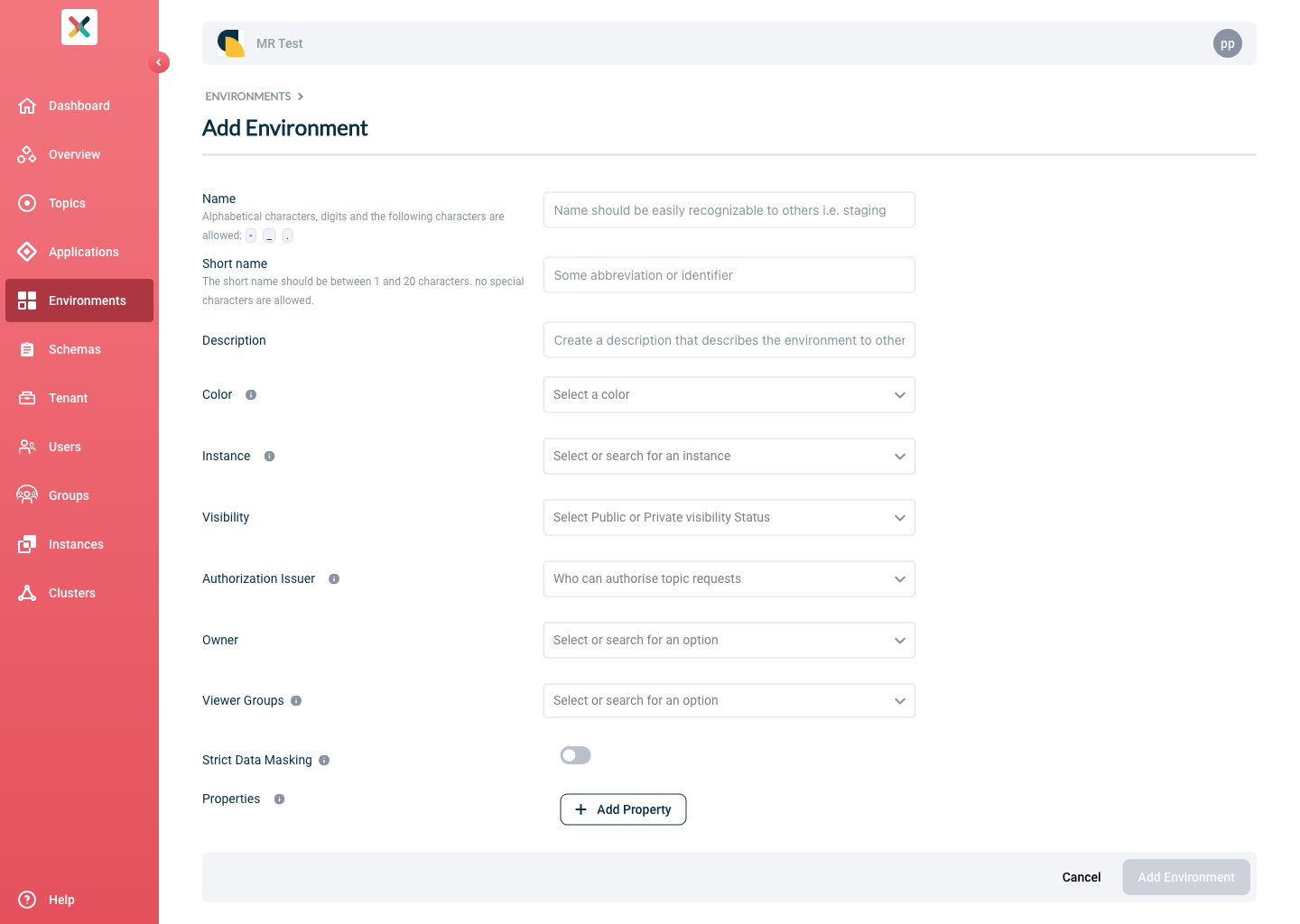
To create a private environment, visit the Environments page and click on the New Environment button. You will see a form as below:
-
Fill the form with the required information:
-
Name: A suitable name identifying this Environment.
-
Short name: A short name that will uniquely identify this Environment.
-
Description: A short text describing the purpose of the Environment.
-
Color: Choose a color as you like.
-
Instance: Choose the instance in which this Environment should be created.
-
Visibility: Choose PRIVATE. Private Environments are only visible to the owning group (your team). They are not included in dashboard visualisations.
-
Authorization Issuer: This option indicates whether any deployments on this Environment should be AUTO approved or require approval from Topic Owner. For private Environment, only AUTO can be selected.
-
Owners: Choose your DevOps team here. If not found, refer to the section Creating a group
-
Viewer Groups: (Optional) Choose the groups that you want to give them view authorities for the Topic Configurations and Application Authentications configured on this environment. Please refer to Viewer Groups section.
-
Properties: Define environment-specific properties here. Can be left empty.
-
-
Click on Add Environment to create the environment. It will now be shown in the Environments page
Updating An Environment
-
To update an environment you own, visit the Environments page and click on the environment you want to edit.
-
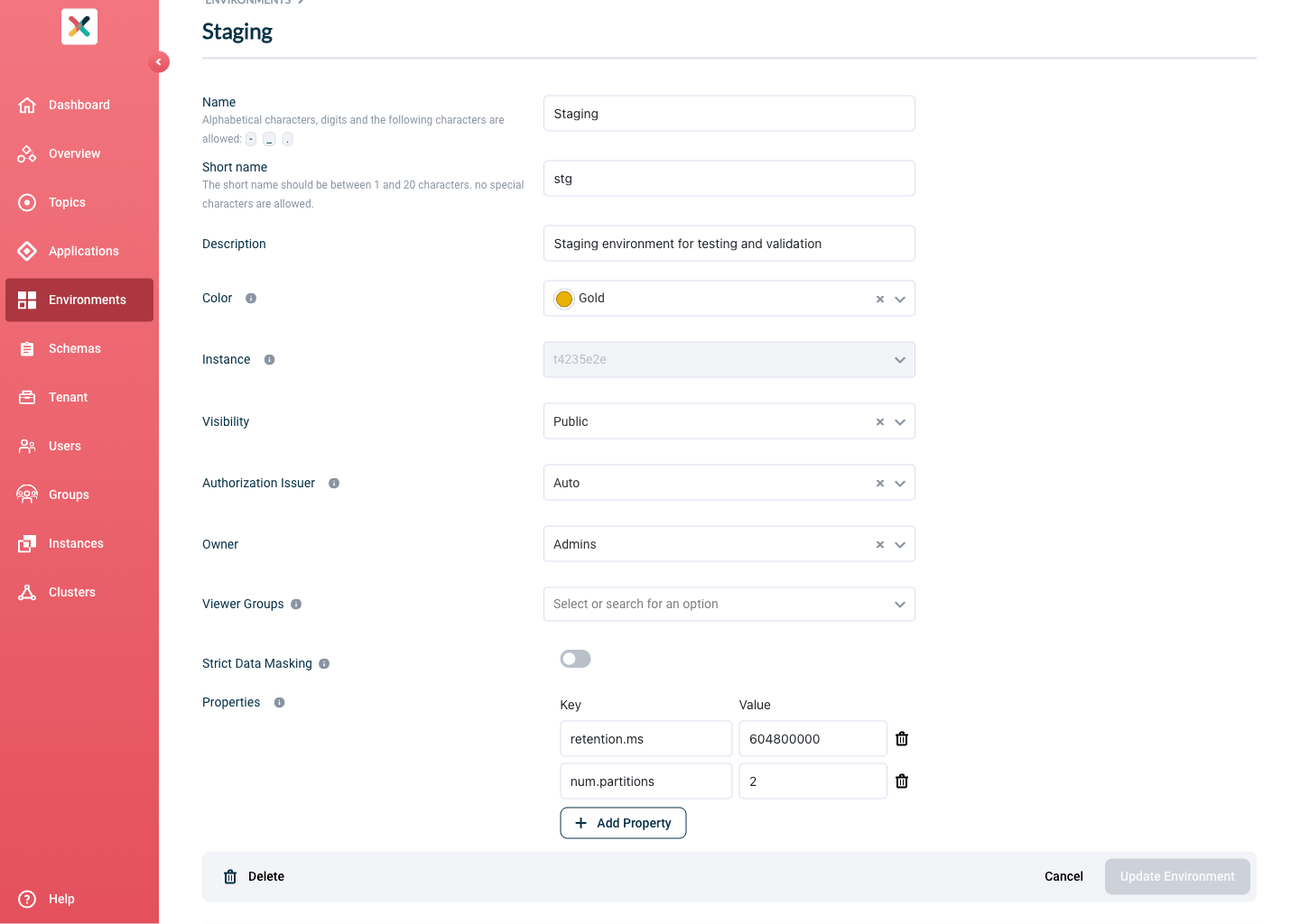
Click on the Edit Environment button. On the bottom right, you see the below page:
-
Fill in or change any information you need and click the Update environment button to update the Environment’s information.
| Changing the Environment Short name or Instance is only allowed when there are no Topic configurations defined in that Environment. |